
The uAvionix AV-30 just got a major capability boost. A free software update now allows pilots to build a route in ForeFlight on their iPad, push it wirelessly to the AV-30, and have their autopilot fly the flight plan automatically. This is a significant step forward for what was already one of the most capable and affordable EFIS options on the market.
What the Update Delivers
Version 3.2.0 (experimental) and 3.2.1 (certified) introduce full ForeFlight integration. Here’s what you can now do:
- Use ForeFlight as a navigation source. The AV-30 accepts flight plans directly from ForeFlight, giving you a seamless EFB-to-panel workflow.
- Push waypoints and routes wirelessly. Build your flight plan on the iPad while prefighting, then send it to the AV-30 once you’re in the cockpit.
- Autopilot follows the ForeFlight route. With compatible autopilots, the AV-30 provides GPS steering with smooth waypoint anticipation, flying the ForeFlight-defined course hands-off.
- Update your route mid-flight. Need to deviate for weather or comply with ATC? Make changes in ForeFlight and the updates appear instantly on the AV-30.
- Improved traffic display. Enhanced symbology and heading bug improvements give you a clearer picture of the traffic around you.
This builds on version 3.1.1, which added wind speed and direction display, flight plan visualization, and Echo ESX support.
What You Need
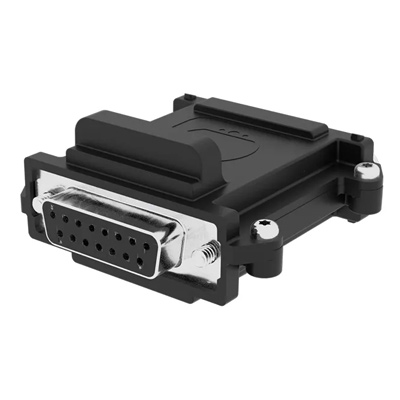
uAvionix AV-Link Wi-Fi Extension
The AV-Link Wi-Fi bridge is required for ForeFlight integration. It acts as the wireless hub between your iPad and the AV-30, enabling flight plan push and real-time updates.
To enable the full ForeFlight-to-autopilot workflow, you’ll need:
- AV-Link Wi-Fi bridge (required for flight plan push and updates)
- Advanced Autopilot Unlock (required for autopilot coupling)
- Compatible autopilot (additional hardware may be needed for legacy analog systems)
AV-30 Options
The AV-30 is available in two versions depending on your aircraft:

uAvionix AV-30-C Primary Flight Display (Certified)
The certified version for type-certificated aircraft. Replaces your vacuum-driven attitude indicator or directional gyro with a modern glass display. Now with full ForeFlight integration via the 3.2.1 update.
uAvionix AV-30-E Primary Flight Display (Experimental)
The experimental version for homebuilt and experimental aircraft. Same great features with additional configuration flexibility. The 3.2.0 update with ForeFlight integration is available now.
Why This Matters
For pilots flying VFR or lightly equipped IFR aircraft, this update delivers modern EFB-to-panel connectivity at a fraction of the cost of a full glass-panel upgrade. You get the convenience of planning on your iPad with the reliability of having that plan displayed on panel-mounted equipment, plus autopilot guidance to reduce workload.
As uAvionix engineer John Chargo put it: “Building a route in ForeFlight and having it appear instantly on the AV-30, ready for the autopilot to follow, transforms how we plan and fly.”
Availability
The update is free for all AV-30 owners. Version 3.2.0 is available now for AV-30-E (experimental) users, with version 3.2.1 now available for AV-30-C (certified) aircraft as well.
Ready to add ForeFlight integration to your panel? Pick up the AV-30-C or AV-30-E, along with the AV-Link Wi-Fi Extension to enable the full feature set.