
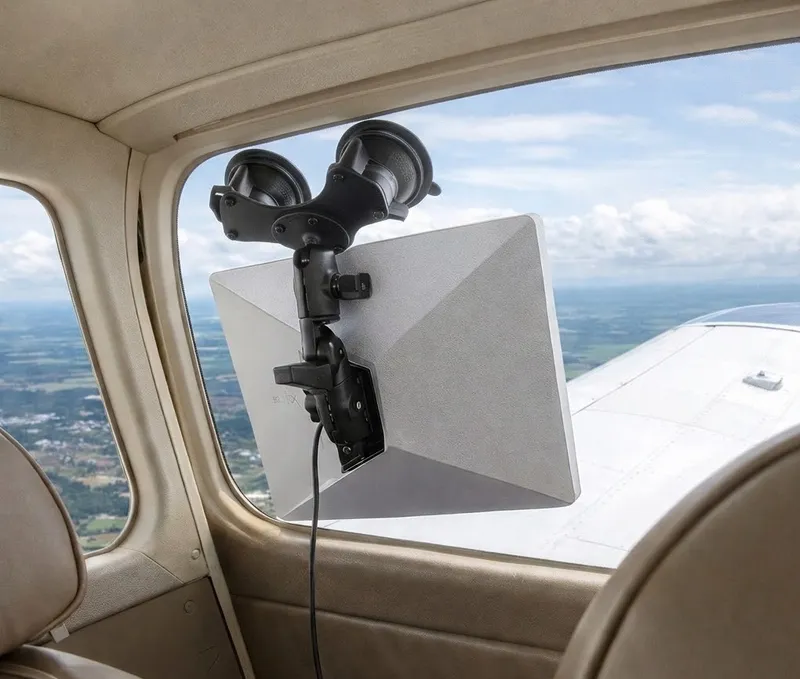
⚠️ March 2026 Update: Starlink has reduced the maximum in-motion speed for Roam and Priority plans to 100 mph (87 knots), effectively limiting use in most GA aircraft. Pilots wanting faster speeds must now use Starlink’s new aviation-specific plans, which start at $250/month (up to 300 mph) or $1,000/month (up to 450 mph) with 20GB monthly data limits. The affordable $50-65/month plans described below are now only viable for slower aircraft or ground use.
Since the introduction of the Starlink Mini in July 2024, the GA community has been buzzing about the possibility of affordable, high-speed internet in the cockpit. For years, in-flight WiFi was exclusive to commercial aviation or came with eye-watering price tags. Starlink Mini changes everything.
In September 2025, Starlink released their $50/month Roam 50GB plan specifically designed for vehicles in motion up to 450 mph (391 knots) ground speed, with coverage in territorial waters and inland waterways up to 12 nautical miles from the coast. Then in January 2026, they doubled the data allowance to 100GB per month. If you exceed 100GB, you get unlimited low-speed data (under 1 Mbps) instead of service cuts or surprise charges.
For pilots, this means streaming weather radar, keeping passengers entertained on long cross-countries, or simply staying connected at 10,000 feet without a monthly bill that rivals your hangar rent.
What You Need to Get Started
Setting up Starlink Mini in your aircraft requires four key components:
- Starlink Mini with an active service plan (Roam 100GB at $50/month)
- Reliable power source (aircraft electrical or portable battery)
- Proper power cable for your chosen power method
- Window mounting system for clear satellite visibility
Let’s break down each component and the best options available.
Understanding Starlink Mini Power Requirements
Before you buy cables and mounts, you need to understand what you’re working with. The Starlink Mini has specific power demands that can trip up the unprepared:
| Specification | Value |
|---|---|
| Peak power draw | 60W (startup and heavy data) |
| Continuous draw | 20-40W (average ~25W) |
| Input voltage | 12-48V DC |
| Optimal USB-C PD | 100W (20V/5A) |
| Minimum USB-C PD | 65W |
That 60W peak during startup is the critical number. Your power solution must handle that spike, or the Starlink won’t initialize properly.
The Power Gap: Aircraft Outlets vs. What Starlink Needs
Here’s where many pilots run into trouble. Your aircraft’s alternator almost certainly has enough capacity. A typical 60-amp alternator at 14V produces roughly 840 watts. That’s plenty of juice for a Starlink Mini that averages 25W.
The problem is the outlet, not the alternator.
Most standard cigarette lighter jacks in GA aircraft are fused for low-amperage accessories. A typical 12V socket might only provide 36-45 watts, well below Starlink’s 60W peak requirement. Plug in your Starlink and you’ll likely pop a circuit breaker before it even finishes booting.
The airplane has the power. It just doesn’t have a thick enough pipe to deliver it.
Power Solutions for Pilots
You have three main paths to power your Starlink Mini in flight:
Option 1: Dedicated 100W USB-C Aviation Outlet (Recommended for 28V Aircraft)
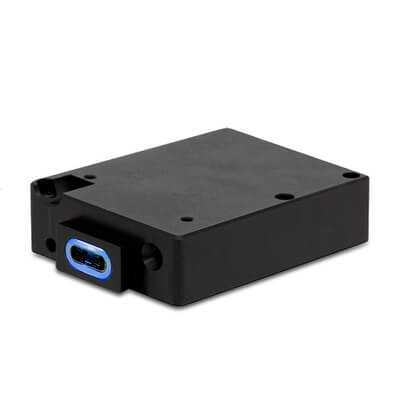
True Blue Power TA360 Max Power USB Charger
The gold standard for Starlink power. This TSO’d, aviation-certified USB-C outlet delivers a full 100W, enough to run your Starlink Mini without breaking a sweat. Professional installation by your A&P required.
Companies like True Blue Power now make aviation-certified USB-C ports specifically designed for high-power devices. The True Blue Power TA360 Max Power USB Charger delivers the full 100W your Starlink wants.
Critical limitation for 14V aircraft owners: The TA360 requires 22-32 VDC input. This works perfectly in 28V aircraft (Beechcraft, later Cessnas, Cirrus), but will not work in 14V aircraft (most older C172s, Pipers, etc.). The unit cannot step up voltage from a 14V bus to provide 100W output.
If you fly a 14V airplane, you’ll need one of the other solutions below.
Option 2: Direct DC Wiring
Since the Starlink Mini accepts 12-48V DC input directly, many owners wire a dedicated, fused circuit straight to the avionics bus. This bypasses the weak cigarette lighter entirely and delivers power through a proper gauge wire that can handle the current.
Requirements:
- A&P mechanic sign-off
- Properly sized wire gauge for the expected current
- Appropriately rated fuse or circuit breaker
- Clean installation that doesn’t interfere with other systems
This is the most elegant solution for 14V aircraft where the TA360 won’t work. You’re using the Starlink’s native DC input rather than converting through USB-C.
Option 3: Portable Power Station
Many pilots simply bypass the aircraft electrical system entirely. A quality LiFePO4 power bank with USB-C Power Delivery can run your Starlink Mini for the duration of most flights.
Advantages:
- No aircraft modifications required
- Works in any aircraft regardless of voltage
- Easy to remove when not needed
- Can be charged at home or in the FBO
Look for these specs in a portable power station:
- Minimum 65W USB-C PD output (100W preferred)
- LiFePO4 chemistry (safer than standard lithium-ion)
- Sufficient capacity for your typical flight duration (at 25W average, a 100Wh battery provides ~4 hours)
Safety Warning: Lithium battery packs introduce a fire risk. Never leave battery packs in the aircraft when not in use. Remove them after every flight. If you go this route, consider using a LiPo bag, a fire-resistant container designed to reduce risks associated with lithium polymer batteries, during transport and storage.
Power Cables: Matching Your Setup
Your cable choice depends entirely on your power method:
For Direct Aircraft Power or Cigarette Plug Battery Packs
If you’re wiring directly to the aircraft bus or using a battery pack with a 12V cigarette-style output, you’ll need a cable that converts from that DC source to Starlink’s proprietary connector.
For USB-C Power Delivery (Battery Packs or TA360)
If your power source uses USB-C PD, several cable options are available:
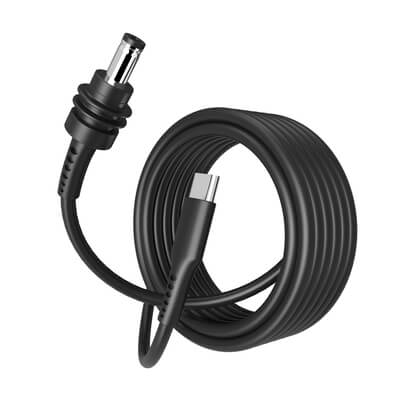
Starlink Mini USB-C to DC Charging Cable - Connects USB Type-C power sources directly to the Starlink Mini’s DC5221 input. The most straightforward solution for USB-C PD battery packs or the TA360.
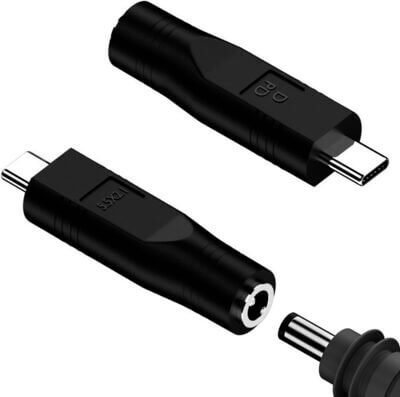
Starlink Mini USB-C to DC Female Power Cable Adapter - Converts the Starlink Mini’s DC power input to a USB-C interface. Useful if you already have a USB-C cable and need to adapt it.
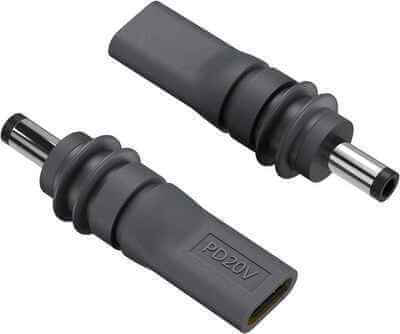
Starlink Mini DC Male to USB-C Power Cable Adapter - Converts USB-C power output to DC input for Starlink Mini. Another option for adapting your existing cables and power sources.
Window Mounting Systems
The Starlink Mini needs a clear view of the sky to connect with satellites. In a GA cockpit, that typically means mounting it against a window. RAM Mount offers several purpose-built solutions:
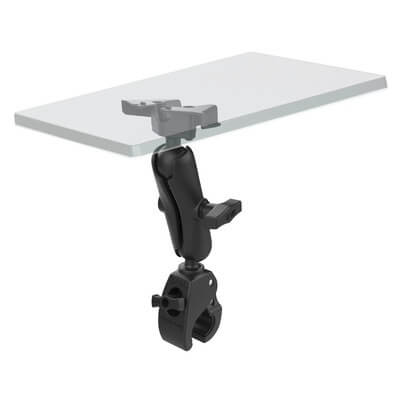
RAM Tough-Claw Heavy Duty Mount for Starlink Mini
The RAM Tough-Claw Heavy Duty Mount (RAP-404-STA1U) features a clamping system that grips round, square, and odd-shaped rails and bars. Ideal if your aircraft has a convenient tube or rail near a window.
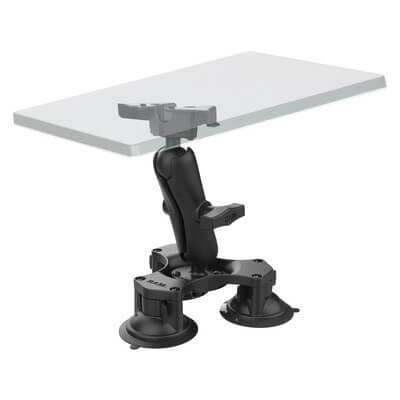
RAM Twist-Lock Triple Suction Heavy Duty Mount for Starlink Mini
The RAM Twist-Lock Triple Suction Mount (RAP-365-138-STA1U) secures your Starlink Mini to any smooth, non-porous surface like windshields. Three twist-lock suction cups provide rock-solid attachment that won’t budge in turbulence.

RAM Tough-Mag Double Magnetic Heavy Duty Mount for Starlink Mini
The RAM Tough-Mag Double Magnetic Mount (RAM-202-333-MAG88-B-STA1U) uses powerful magnets to secure the Starlink Mini to any metal surface. Great for aircraft with metal window frames or instrument panel areas.
Practical Considerations
Positioning Matters
The Starlink Mini performs best when it has an unobstructed view of the sky. In most GA aircraft, this means mounting it against a side window or rear window with the antenna facing outward. Experiment with positioning on the ground before committing to a permanent setup.
Heat Management
Cockpits get hot, especially on summer ramp days. The Starlink Mini generates its own heat during operation. Avoid leaving it mounted in direct sunlight when the aircraft is parked, and consider removing it entirely when not in use.
What Will You Actually Use It For?
Before investing in a Starlink setup, consider your use cases:
- Weather updates: Real-time radar and METARs beyond what ADS-B provides
- Passenger entertainment: Keep the family happy on long cross-countries
- Flight tracking: Let family and friends follow your flight in real-time
- Work connectivity: Check emails, join calls (with a good headset mic)
- Training: Stream instructional content or reference materials
This Is Not Certified Equipment
The Starlink Mini is consumer electronics, not aviation equipment. It’s not TSO’d, and the FAA hasn’t blessed its use in flight. You’re flying with it at your own discretion, and you should be prepared to shut it down if it causes any interference with avionics. Keep it away from sensitive equipment, and test on the ground before relying on it in flight.
Quick Reference: Choosing Your Setup
| Aircraft Type | Recommended Power Solution |
|---|---|
| 28V (Cirrus, Beech, newer Cessnas) | True Blue Power TA360 + USB-C cable |
| 14V (older C172, Pipers) | Direct DC wiring or portable battery pack |
| Rental aircraft | Portable battery pack (no modifications) |
| Any aircraft, simplest option | LiFePO4 battery pack with 100W USB-C PD |
The Bottom Line
The Starlink Mini brings high-speed internet to GA at a price point that was unthinkable just a few years ago. At $50/month with 100GB of data, it’s actually affordable for regular use. The main challenge is getting reliable power to the unit, but with the right combination of cables, mounts, and power sources, most pilots can have a working setup in an afternoon.
Whether you choose to hardwire it to your panel, install a dedicated USB-C outlet, or simply bring a battery pack on board, the connectivity is there if you want it. Just remember to plan your power, secure the mount properly, and keep that battery pack out of the plane when you’re not flying.
Ready to get connected? Browse all the Starlink Mini accessories at MyPilotStore to find the right setup for your aircraft.